Skip to features
ReflexGet the app
Automation · Android

Make your phone react to you.

Flip your phone face-down, shake it, double-press a volume key or tap a floating button, and Reflex runs the shortcut you built. No menus, no account, and nothing leaves your phone unless a shortcut you build sends it.

  • 70+ triggers
  • No account
  • Free to use
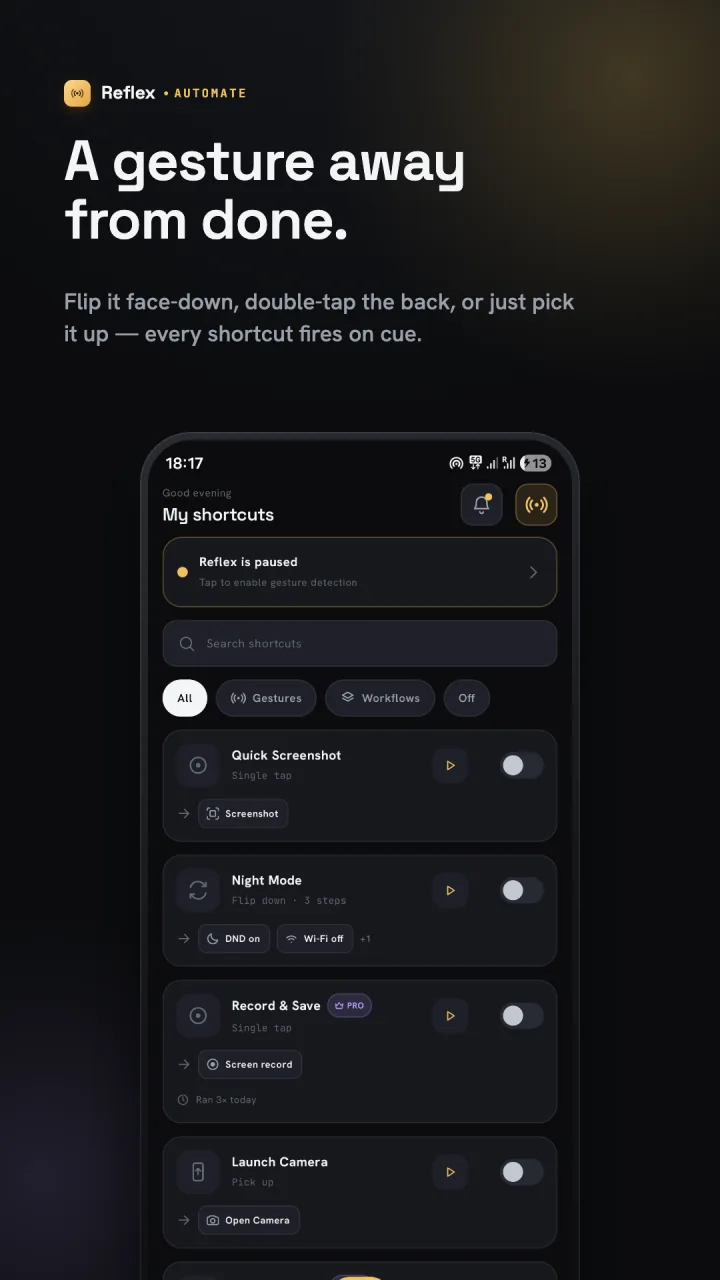
Reflex's shortcut list with Quick Screenshot, Night Mode, Record & Save and Launch Camera
Watch

See Reflex in action.

See Reflex build a shortcut: pick a trigger like flipping the phone face-down, chain the actions you want, and it runs on its own.

Builder

Powerful flows. Zero code.

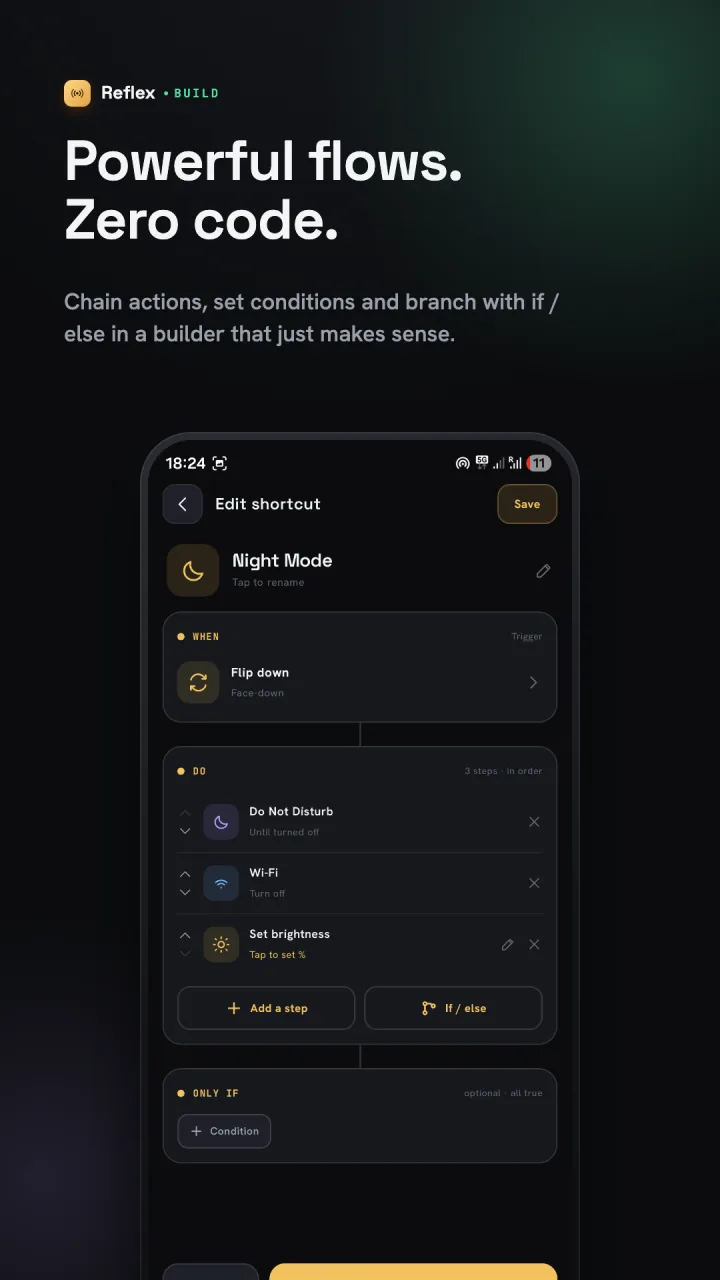
Pick a trigger, chain as many actions as you like and Reflex runs them in order, even in the background. Add conditions so a shortcut only fires when it should.

  • 72 triggers: shake, flip, pocket, floating-button taps, drawn gestures, volume presses, charger, headphones, Wi-Fi, calls, apps and a daily time (17 free)
  • 40 actions: screenshot, Do Not Disturb, flashlight, volume, media, launch app, web request and more
  • 20 conditions such as time of day, battery level, Wi-Fi network and day of week
  • Delays between steps and if / else branches with Reflex Pro
Reflex's shortcut editor: flip down turns on Do Not Disturb, Wi-Fi and lower brightness
Discover

Ready-made, one tap away.

Not sure where to start? Install a ready-made shortcut or a whole pack for focus, battery, the camera and more, then tweak it to taste.

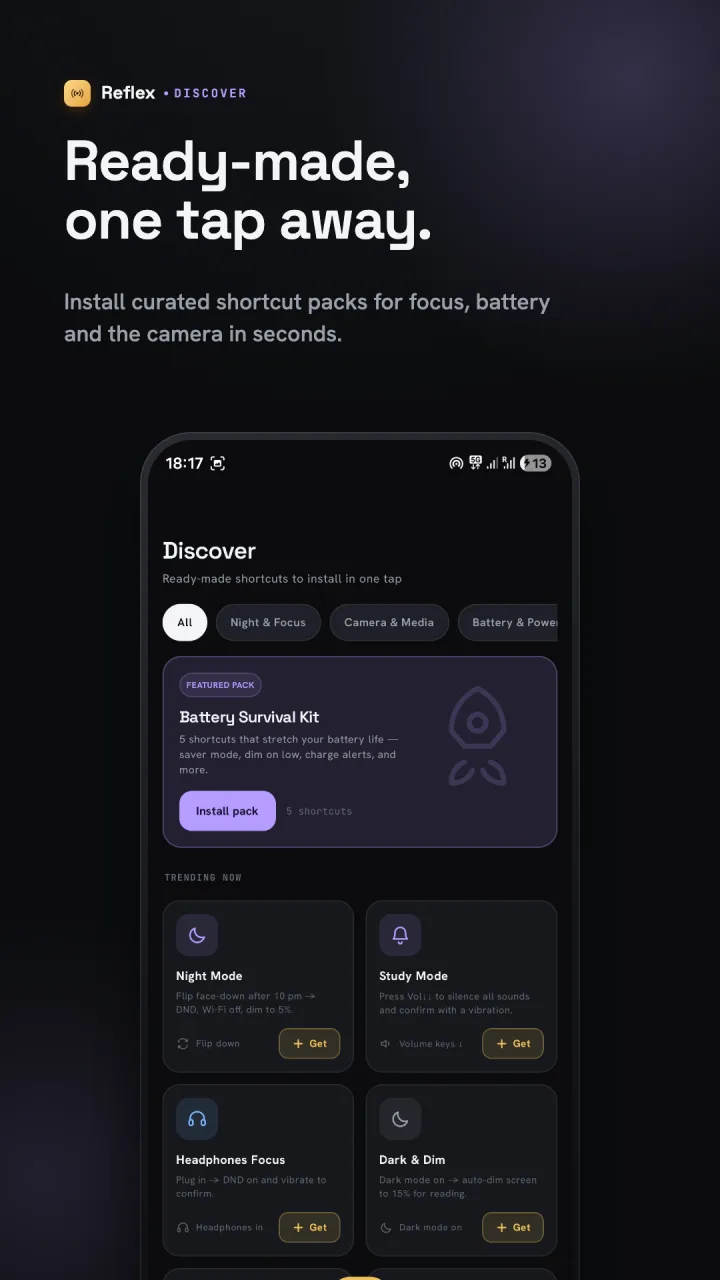
  • Curated packs such as Battery Survival Kit
  • Single shortcuts like Night Mode, Study Mode and Headphones Focus
  • Every shortcut notes what Android allows, so there are no surprises
Reflex's Discover tab with shortcut packs and ready-made shortcuts
Activity

Every run, neatly logged.

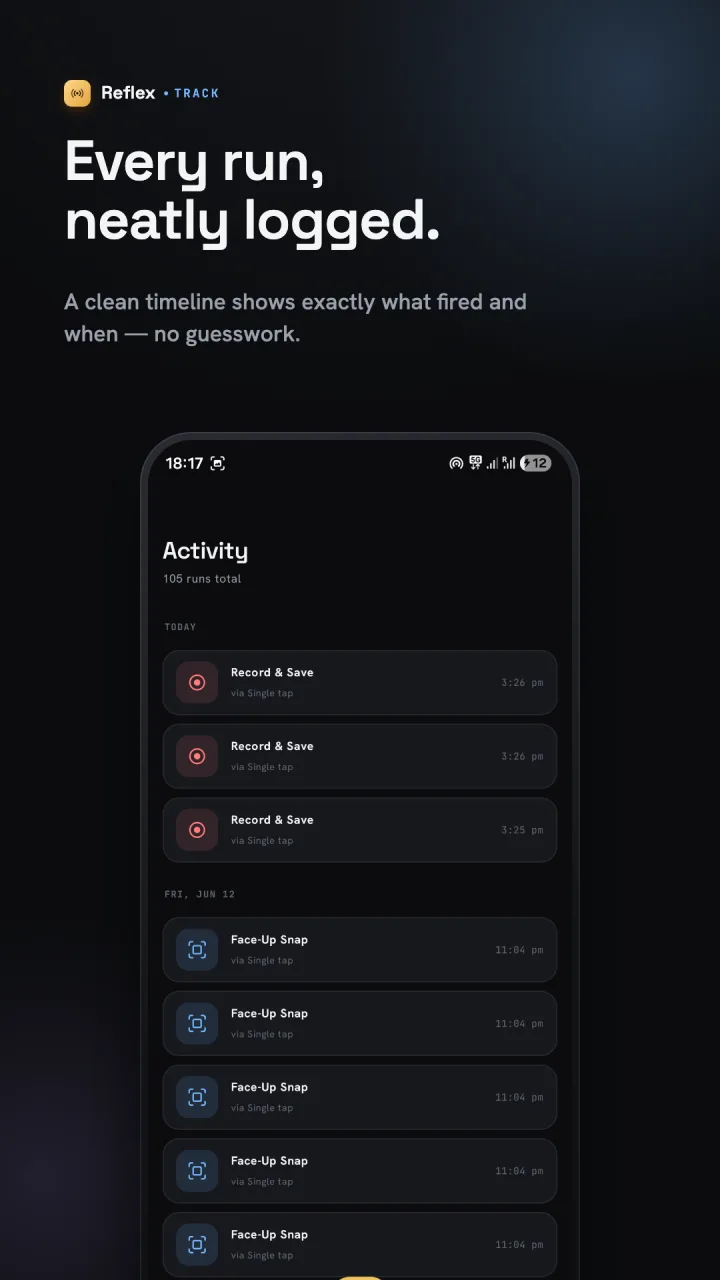
A timeline shows which shortcut fired, what set it off and when, so you can see your automations working.

  • Recent runs grouped by day
  • Clear errors when a step or permission is missing
  • Back up and restore shortcuts as a JSON file
Reflex's activity timeline of recent shortcut runs
Settings

Tuned to how you use it.

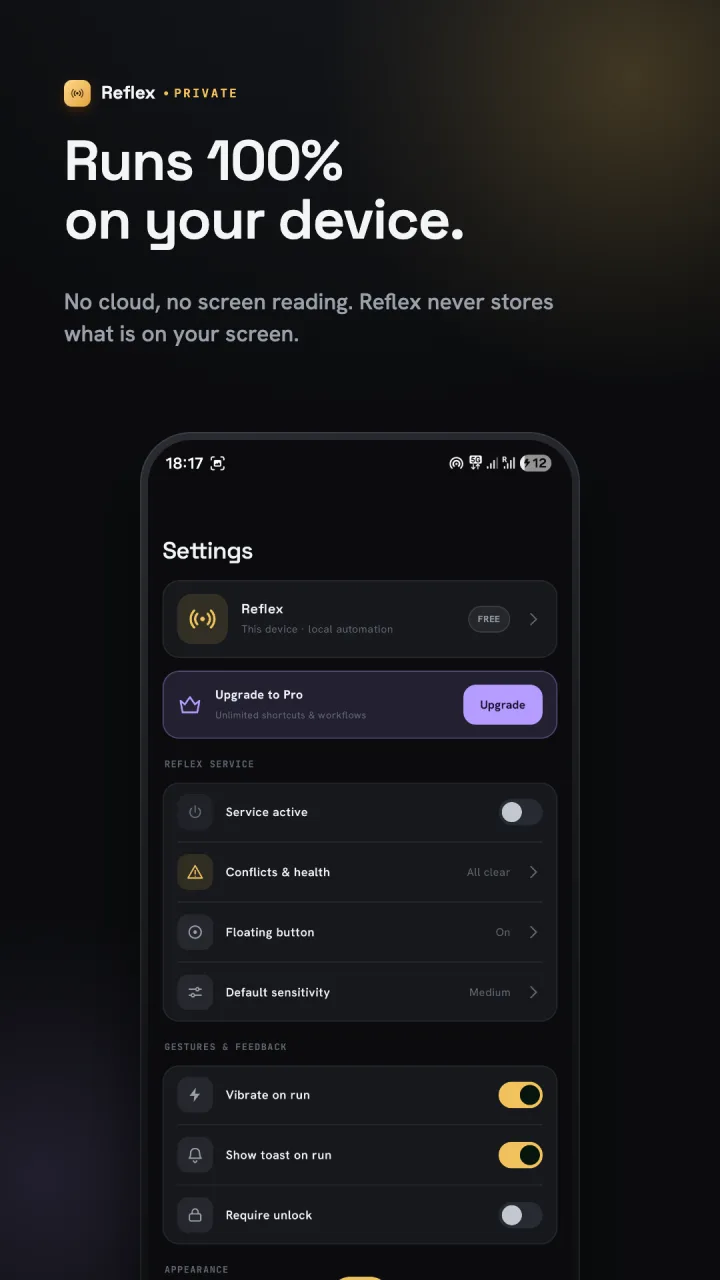
Choose how a shortcut confirms it ran, how sensitive gestures are, and whether it should wait until the phone is unlocked. A health check flags shortcuts that clash or are missing a permission.

  • Optional floating button for tap triggers
  • Vibration and on-screen confirmation on each run
  • Conflicts & health: spot two shortcuts on the same trigger
Reflex's settings: service status, conflicts and health, floating button and sensitivity
Setup

Ready in three taps.

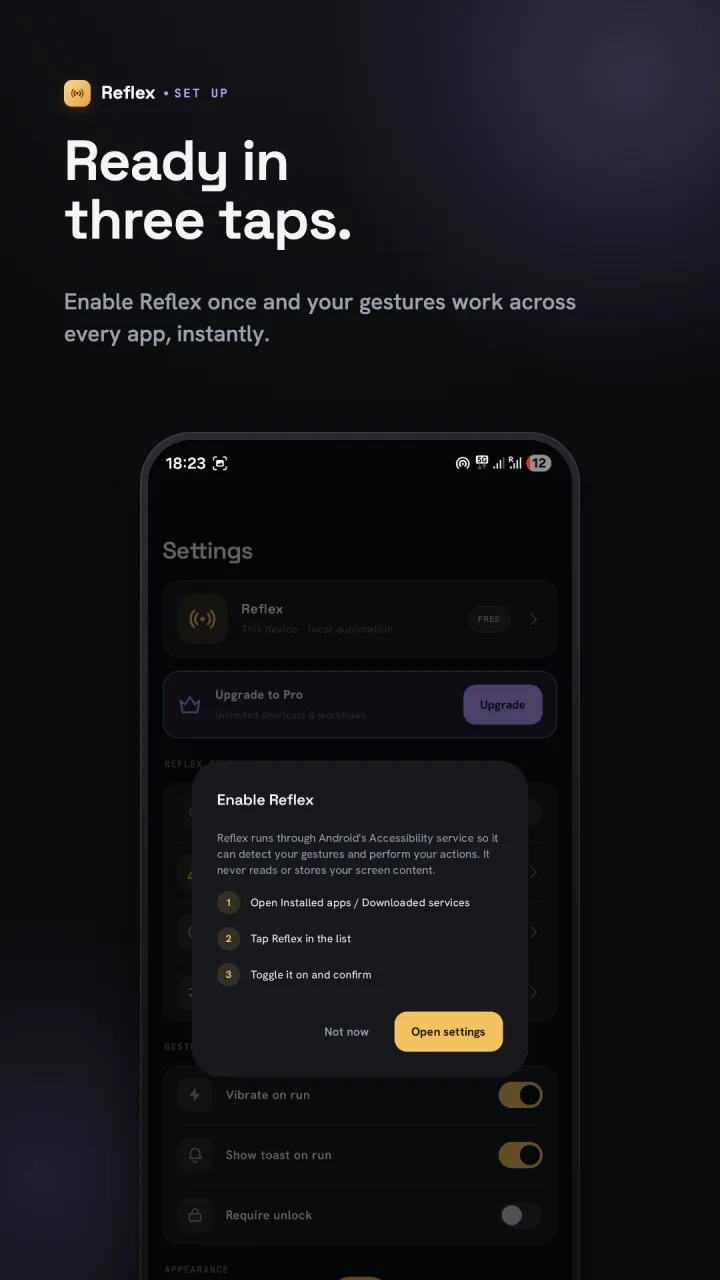
Turn Reflex on once in Android's Accessibility settings and your gestures work across every app. Reflex asks for other permissions only when a shortcut needs them.

  • Guided setup for the Accessibility service
  • Microphone only for the Record audio action; location only for the "At a location" condition
  • Pause everything from one switch
  • Phone, tablet and landscape layouts
Reflex's setup dialog explaining how to enable its Accessibility service
Free & Reflex Pro

Free to start. Pay once for more.

Reflex is free with 5 shortcuts, 17 triggers and ads; watch a short ad to earn up to 3 extra shortcut slots. Reflex Pro is a one-time purchase through Google Play that removes ads and unlocks unlimited shortcuts, every trigger and action, delays and if / else branches. No subscription.

What the free version and Reflex Pro include
FeatureFreePro
Visual shortcut builder✓✓
Gesture, key & system triggers (17)✓✓
Conditions✓✓
Discover shortcuts & packs✓✓
Chain multiple actions✓✓
Activity log & JSON backup✓✓
5 shortcuts (+3 by watching ads)✓✓
No ads—✓
Unlimited shortcuts—✓
All 72 triggers: pocket, steps, boot, calls & more—✓
Delays between steps—✓
If / else branches—✓
Screen & audio recording actions—✓
Privacy

Runs on your device.

Reflex has no account and no Reflex server. Your shortcuts, settings and run history stay in local storage, and nothing is sent anywhere unless you add an action that does, such as Open URL or Send web request. The Accessibility service detects the gestures you set up and performs your actions; Reflex never reads, logs or sends what's on your screen or what you type.

Read the privacy policy
  • No sign-up, ever
  • Never reads your screen
  • Sensors read live, never stored
  • Recordings stay on your phone
FAQ

Questions, answered.

What can Reflex do?

It pairs a trigger with actions. For example: shake to take a screenshot, flip face-down for Do Not Disturb, double-press volume down to start recording audio, or set the ringer to vibrate when the charger is connected.

Is Reflex free?

Yes. You get 5 shortcuts, 17 triggers, the builder, conditions, Discover and the activity log for free, with ads. Watching a short ad earns up to 3 more shortcut slots. Reflex Pro is a one-time purchase that removes ads and unlocks unlimited shortcuts, all 72 triggers, every action, delays and if / else branches. No subscription.

Does Reflex need root?

No. It uses Android's Accessibility service, which you enable once, to detect gestures and perform actions such as a screenshot or locking the screen.

Why does Reflex need the Accessibility service?

It hosts the automation engine: it detects the gestures you configure and performs the actions you choose. Reflex does not read, log or transmit screen content.

Is it a Tasker alternative?

Reflex focuses on fast, gesture-first shortcuts with a visual builder and ready-made packs, so common automations take a minute to set up rather than an afternoon.

Does it drain the battery?

Reflex only starts the sensors your shortcuts need, and pausing it from the main switch stops them all.

Can I back up my shortcuts?

Yes. Export them to a JSON file and import it on the same or another phone.

Which devices are supported?

Phones and tablets running Android 7.0 or newer. Some triggers need specific hardware, such as a proximity sensor or step counter.

Make your phone react to you.

Get it on Google Play